
Need Help from working from anywhere contact us today
Reduce the risk of Cyber security breaches, by talking to one of our team
Our well-trained team are ready to help.
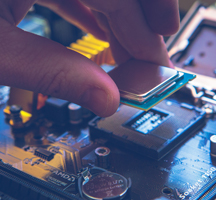
Need help to recover those important files?

Discover how TCCB can help you, get the best out of your technology
Empower your Business with our Microsoft 365 packages


Data Backup. Why you should backup ?
Have you ever lost or damaged your mobile phone? I did once; it took me ages to get all my contacts and numbers back. Now imagine that happening to your computer data, how long would it take you to replace all the information, figures, images, videos, files, office docs and personal material? How would your business function if this information was not available for just one day and the cost? Ages!
This is why you should backup.
For the majority of us, using IT systems is a daily part of life, but most keep just one copy of business critical information such as accounts and important documents or Emails and photos. This poses a risk due to viruses, accidental error and failure of a PC. Backing up data is one of THE most important parts of IT. However, so many of us pay little or no attention to yet it would take considerable time and expense to restore it.
It’s important to identify what data to back up. What you would need to continue working if your PC were to be stolen/damaged. Contact details, contracts, files, spreadsheets, accounts, Emails etc.
There are different forms of backup available and the one you choose will depend on time, security and budget.
Memory stick devices are easy and cheap. Good for smaller backups or mobile users. Cons are that they are unreliable as they are massively unsecure /easily damaged lost. Further, when a backup is done the previous backup is overwritten, not great if you don’t spot an error for a few days.
Onsite backup is for businesses with lots of data. Normally daily, weekly and monthly. This can be quite easy, but time intensive. The cons are that that one needs to manually swap the hard drives and take them offsite. This can easily be forgotten or lost, meaning when you need the data it might not be there.
Online data backup is ideal for small to medium sized businesses as the monthly costs are relatively low. The process is easy, select the data you want to backup and it is transferred in an encrypted format to a high security data center. This is normally fully automated. You can restore single files or full backups. Given the protection, speed and availability make this an attractive option. The disadvantages of using this solution; also known as Cloud backup is that it uses your internet connection. You need to have a high quality broadband connection.
Finally, an important thing to consider when backing up – always carry out a test of the restore function.
Backup regularly, keep your backups remote and preferably off site. That way if you do lose data you know you can get it back.

The Computer Clinic have been integral in ensuring we have the best systems in place for taking our business forward and this was particularly tested when we moved premises last year, always a challenging time, but thanks to Dan we were up and running far quicker than we anticipated. The Computer Clinic offer the ideal solution for us...
I would recommend the Computer Clinic to anyone looking for either logo design, IT support or web design and build. Daniel has listened to my needs and quickly created the perfect logo design for my Handyman business. Having everything done in one place has the advantage of continuity of logo design and style on every medium.
We have used The Computer Clinic Bicester since their inception and can vouch first hand of their reliability, honesty and integrity. On many, many occasions the team’s ability to return calls and respond quickly has ensured the lowest possible downtime for us. The Computer Clinic Bicester took time to understand our IT set up and are always...






 Get Support